Free Fire Download on iPhone: If you own an iPhone and are wondering how to download Free Fire, using the official Apple App Store makes the procedure quite easy. The safest method is to download the game via Apple’s platform, which helps you stay away from altered files, unidentified installers, and dubious websites that could endanger your device or gaming account.
In the well-known battle royale game Free Fire, players engage in quick matches against one another. Make sure your iPhone has a compatible iOS version, sufficient free storage, and a reliable internet connection before downloading it. Having these items on hand can assist prevent frequent download issues and facilitate a more seamless installation experience.

Free Fire Download on iPhone
| Requirement | Details |
|---|---|
| Device | Compatible iPhone |
| Download Platform | Apple App Store |
| Account | Apple ID |
| Internet | Stable Wi-Fi or Mobile Data |
| Storage | Enough Free Space |
| Operating System | Supported iOS Version |
| Game | Official Free Fire Version |
Things to Check Before Downloading Free Fire

Make sure your iPhone has enough storage before beginning the download. After installation, Free Fire may need more space for updates and game materials, so it’s best to have some more storage on hand. Additionally, a reliable Wi-Fi connection can speed up the download and lower the likelihood of disruptions.
Additionally, you must be logged into the App Store with your Apple ID. Verify that your internet connection is operational and that your iPhone is running a supported version of iOS. The crucial points to remember are

- A compatible iPhone
- Official Apple App Store access
- An active Apple ID
- Stable Wi-Fi or mobile data
- Enough available storage
How to Download Free Fire on iPhone
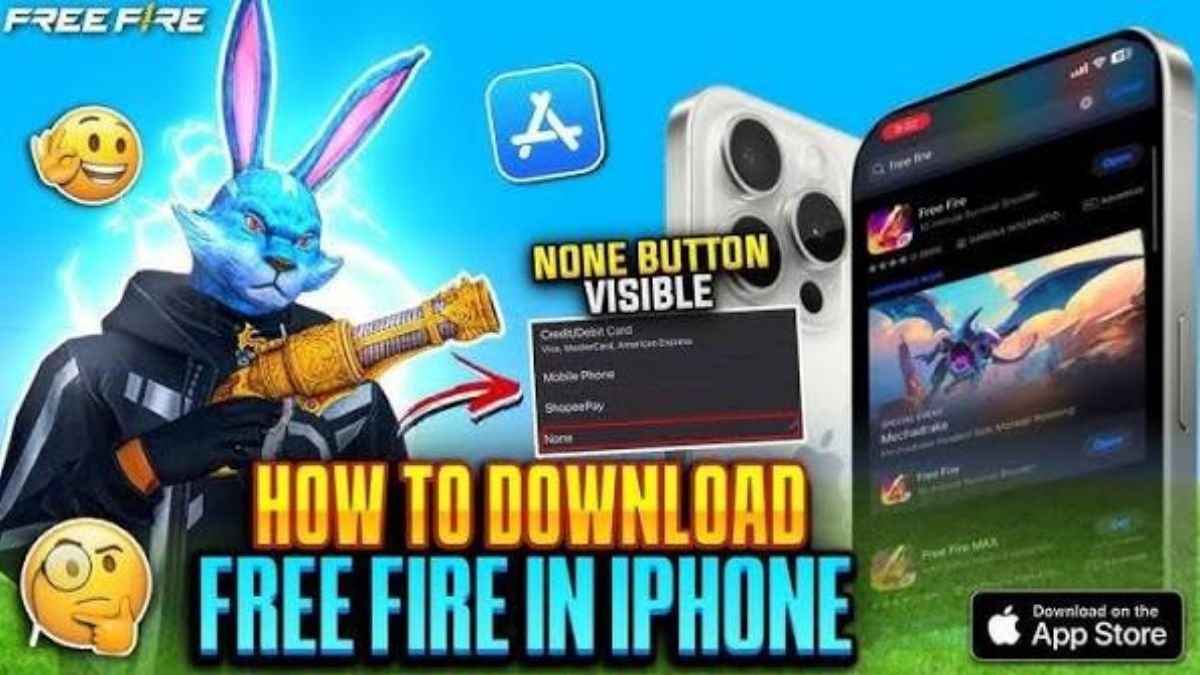
Firstly, to download Free Fire, you need to open the App Store on your iPhone and use its search bar to find the official game. It is crucial to pay attention to the detailed information about the app as well as its developer. It is done in order not to confuse it with some unofficial versions that could pose a risk.
When you find an official Free Fire, you need to tap on the Get button. Your iPhone may ask you to verify the installation through Face ID, Touch ID, or your Apple ID password. When it is confirmed, the app will automatically be downloaded and installed on your iPhone.
How to Start Free Fire After Installation
When the process of installing the app is finished, the game icon appears either on the Home Screen of your iPhone or in the App Library. Just tap on it and run the game. In the first launch, Free Fire may need to download some game data, so having an active internet connection is recommended.
At some point, Free Fire may ask you to sign in or register for the game through one of the available options. You must remember to use the real information and not to share it with any websites offering free diamonds or other bonuses and cheats.
Avoid Unofficial Free Fire IPA Files
iPhone users may come across websites offering modified Free Fire IPA files or unofficial installation methods. These files are not recommended when the official game is available through the App Store. Installing software from unknown sources can expose your device and personal information to unnecessary security risks.
You should also stay away from websites promising unlimited diamonds, free accounts, or unlocked features in exchange for your Apple ID or Free Fire login details. Such offers can be misleading and may put your account at risk. The official App Store remains the safer choice for downloading and updating the game.
What to Do If Free Fire Is Not Available
In case you cannot locate the Free Fire application within the App Store, there may be several reasons for this problem connected with regional availability, your iPhone being incompatible with the app, or some other platform-related reasons. First of all, you should check whether your iPhone meets the current requirements in terms of the operating system version. Next, you have to ensure that you are looking at the proper page within the App Store.
Never use third-party web pages to download the application if it is not available for your device or country. It will lead to several problems from the security and your account’s point of view. Always follow the official guidelines provided by Apple or by the game itself.
It is crucial not to use any unofficial IPA files, cracked versions of the game, or sites where you may receive some free diamonds and other bonuses.
Disclaimer: This article is intended for informational purposes only. Free Fire availability, device compatibility, system requirements, and game features may change over time. Always download the game through an official and trusted source, and never share sensitive account information with unknown websites.
Also read:
Proxy Server Free Fire Max APK Guide, Features, Risks Explained 2026
Free Fire Help Centre 2026: Fix ID, Ban, Server and Account
Free Fire Google Opinion Rewards 2026: Earn Credits Through Surveys

My name is Santosh Rana, and I am the Founder and Content Writer at Taza News, where I actively cover Education, Board Exam Results, Admit Cards, Government Jobs, Technology, and Breaking News updates. As the founder of the platform, I am committed to building a trusted digital news source that delivers accurate, timely, and reader-friendly information to audiences across India.